You know the moment. It is late, your squad is online, and the new skin you have been eyeing is sitting right there in the shop. Your balance says zero. Then a friend messages: “Send me some money, I know a guy who sells diamonds super cheap.” Your thumb hovers. Part of you is excited, and part of you has a tiny alarm ringing in the back of your head. This post is for that moment. We will talk about topping up games the sensible way, using UniPin as the main example, and we will keep it honest, simple and a little bit funny, because nobody needs a lecture at midnight.
Why top ups exist in the first place
Most of the games we love are free to download, and that is not charity. Developers earn money when players buy extras, such as diamonds, battle passes, skins and characters. That model keeps servers running and new content coming, but it also makes spending feel small and constant. Nothing is wrong with buying things you enjoy, as long as you do it on purpose. The goal is not to stop you from having fun. It is to help you pay safely, avoid scams and keep your wallet from crying. UniPin is one of the places gamers use for this.
What is UniPin, in plain words?
According to company announcements and news coverage, it is a platform in Southeast Asia that sells game top ups and digital vouchers, and it supports popular titles such as Mobile Legends, PUBG Mobile and Free Fire, among many others. Think of it as a shop for in-game currency and gift codes. Treat this as Unit 1 of your plan: know what a service is before you hand over your money. Games, prices and payment options change often, and they depend on your country, so check the current list on UniPin before you decide anything.
UniPin Credits: one balance for many games
One feature that gets mentioned a lot is UniPin Credits. The company describes them as electronic pins you can use across many games from different publishers, a bit like a prepaid balance. The idea is that you load credits once and spend them where you like, instead of paying separately every time. Some people find this handy, and the company even says it works as a budgeting tool, because you decide how much to load. That is the company’s claim, so judge it yourself. If you try UniPin, check how credits are bought, whether they expire and what happens if you do not use them.
The usual top up flow
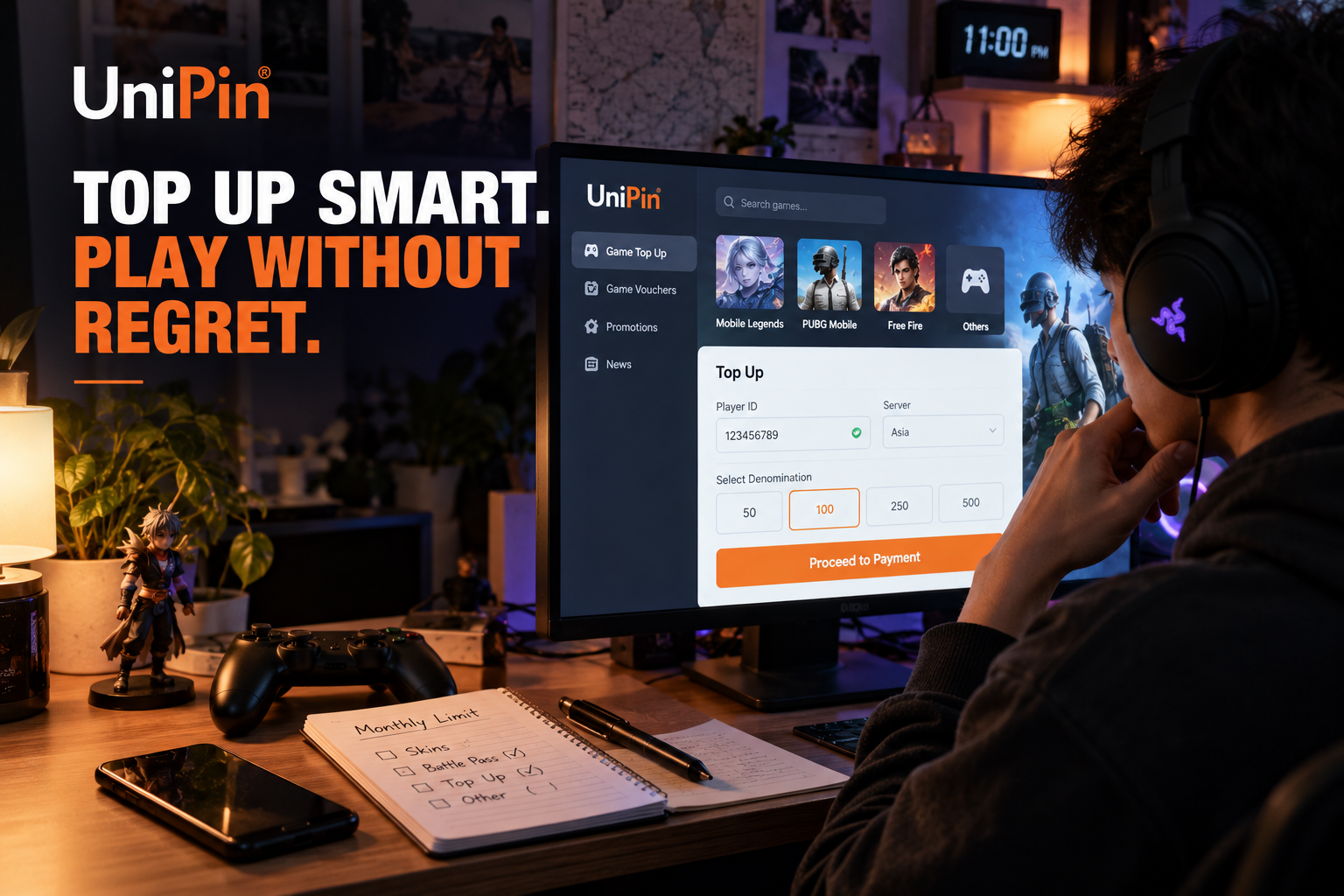
Most top ups follow a similar rhythm. You pick the game, enter your player ID and sometimes your server, choose the amount, select a payment method and confirm. After payment, the currency is usually delivered to your account, often within minutes according to descriptions I found, though timing can vary. Slow down at each step instead of rushing. The screen where you enter your ID is the one that matters most, because a typo can send your purchase to someone else. Take a screenshot before you pay. When you follow the steps on UniPin, read each screen like it is a contract, because in a way, it is.
Payment options and what they mean
Southeast Asian gamers often have a wide menu of payment choices, including e-wallets, bank virtual accounts and other local methods. News reports mention partnerships with banks and wallets, but available options differ by country and change over time. Choose a method you trust and understand, and avoid sharing card details on unknown pages. Check the final amount, because some methods add fees and some do not. When you reach the payment page on UniPin, make sure the website address looks right before you tap anything.
Promos and cashback: read the small print
Everyone loves a bonus. Promos can include discounts, extra currency or cashback in credits, and some are tied to specific payment methods or games. One article I found mentions a cashback event that ran only for a short period, which shows how fast deals expire. Treat this as Unit 1 of your promo habit: before you celebrate a deal, check the minimum purchase, the dates, the excluded games and how the reward is paid. A bonus you cannot use is just decoration. Never buy more than you planned just to reach a threshold. Look at the current offers on UniPin, then decide whether they fit your budget.
Double check your player ID
If there is one mistake that causes the most heartbreak, it is the wrong ID. Open your game and copy the ID exactly, including numbers and, if needed, the server code. After you enter it, many platforms show your nickname, which is a handy way to confirm you are topping up the right account. If the name looks wrong, stop. Once a digital top up is delivered, getting it back can be difficult or impossible. Make it a habit to verify twice before paying on UniPin.
Never share your password
Here is a rule worth tattooing on your phone case. A normal top up through an official platform usually needs your player ID, not your password. If someone asks for your login details, your verification code or your email password, walk away. That is how accounts get stolen. Treat this as Unit 1 of your safety rules: your password stays with you. Turn on two step verification in your game account if it is available, and use a different password from your email. If something feels off, change your password and contact the game’s support. Keep your login private, even when a cheap offer sounds amazing, and even if it comes with a link to UniPin that you did not check.
Spotting scams without becoming paranoid
Scams love gamers because we are impatient. Watch for sellers who message you privately with prices far below normal, websites that copy a real brand but have odd addresses, and anyone who pushes you to pay quickly. Be careful with “free diamond” generators, because they usually steal information. Avoid paying strangers by direct transfer, since you may not get your money back. Buy from official stores or platforms with clear company information, and check for a proper website and support. One press release from the company even describes unverified third party sites as risky. When in doubt, ask a friend and check the address of UniPin yourself.
Official channels versus gray market
You might see sellers offering top ups through unofficial methods, such as using other regions’ prices or paid services where someone else plays on your account. Those can break a game’s rules and may lead to a ban or lost items. Publishers can take action, and you may have no way to appeal. The company says it offers direct, publisher approved top ups, but you should still read both the game’s rules and the platform’s terms. Cheap is not always worth the risk, especially if you have spent years building your account. Think of UniPin as one option, and weigh it against the rules of your game.
Set a budget, and sleep on it
Here is the most useful trick in this entire post. Decide a monthly top up limit before you open the shop. Pick a number that will not cause trouble if it vanishes. When you feel the urge to buy something, wait twenty four hours. If you still want it tomorrow, it is probably a real want. If not, you just saved money. You can also think in cost per hour of fun: a skin you use for months may be worth more than a bundle you forget. Write your limit in your notes and check it before you buy on UniPin.
A note for parents
If you are a parent, you probably have mixed feelings about in-game spending. A calm conversation works better than a ban. Ask what your child wants to buy and why, explain how real money is used and agree on a monthly limit together. Avoid saving cards on devices and keep passwords private. Prepaid options or credits can help set a clear cap, but they are not a replacement for supervision. Teach kids to spot scams and never share login details. Check the age rules of the game and the platform. If your child uses UniPin, look at the purchase history together once a month.
If your top up does not arrive
Do not panic and do not pay again. First, wait a few minutes, because delivery can take longer sometimes. Check your order history and the status of the payment. Restart the game and look in the right place, since some items appear in a mailbox or a different tab. Verify that you entered the correct ID and server. If it is still missing, contact the platform’s support with your order number, screenshots and payment proof. Treat this as Unit 1 of your problem solving: gather evidence first, complain second. Be polite, be clear and keep copies of every message. Look for the help section on UniPin before you need it.
Are in-game purchases worth it?
Some are, and some are not. A battle pass can feel fair if you play a lot and finish it. A cosmetic skin can be a nice treat if you love the character. Random draws, often called gacha or loot boxes, are different, because you pay without knowing what you will get. Many games publish drop rates, so read them before spending. Avoid chasing losses, since the feeling of “just one more try” is exactly what the system is designed to create. Decide in advance how many attempts you will make, and stop when you hit it, even if you are close. Your budget on UniPin is not a challenge.
Mistakes to avoid
A few errors keep showing up. Typing the wrong ID. Buying from random private sellers. Sharing passwords or codes. Using someone else’s card or wallet without permission. Ignoring promo rules. Spending on impulse late at night. Forgetting screenshots. Whichever way you top up, including through UniPin, a calm pause before you pay is the cheapest protection you will ever buy.
Questions to ask yourself before you pay
Is this a purchase I will still be happy about next week? Is it within my monthly limit? Am I buying from an official, trusted source? Did I check the ID and server? Do I know the final price, including fees? Do I understand the promo terms? Do I have a screenshot? Write your answers down quickly. If any answer feels shaky, wait. A short pause before you press pay on UniPin costs nothing and can save a lot.
A word of honesty
This post is general information, not financial or legal advice, and it is not encouragement to spend more. Details about games, payment methods, promos and delivery times come from company announcements and news articles, and they vary by country and change often, so verify everything on the official site before you pay. UniPin mainly serves gamers in Southeast Asia, so availability may differ where you live. Check the age rules for your game and platform. And if you decide that UniPin is not the right fit for you, that is a perfectly sensible choice.
Make your next game top-up count
Gaming should leave you with good memories, not regrets or an empty wallet. Know where you are buying, check your ID twice, guard your password and set a limit you can live with. Keep your receipts and be kind to yourself when you slip. If you want to look at a platform built around game top ups, open UniPin, compare the options with your plan and buy only what you will enjoy. Then put the phone down, jump into your match and have fun. That is what all of this was for in the first place.