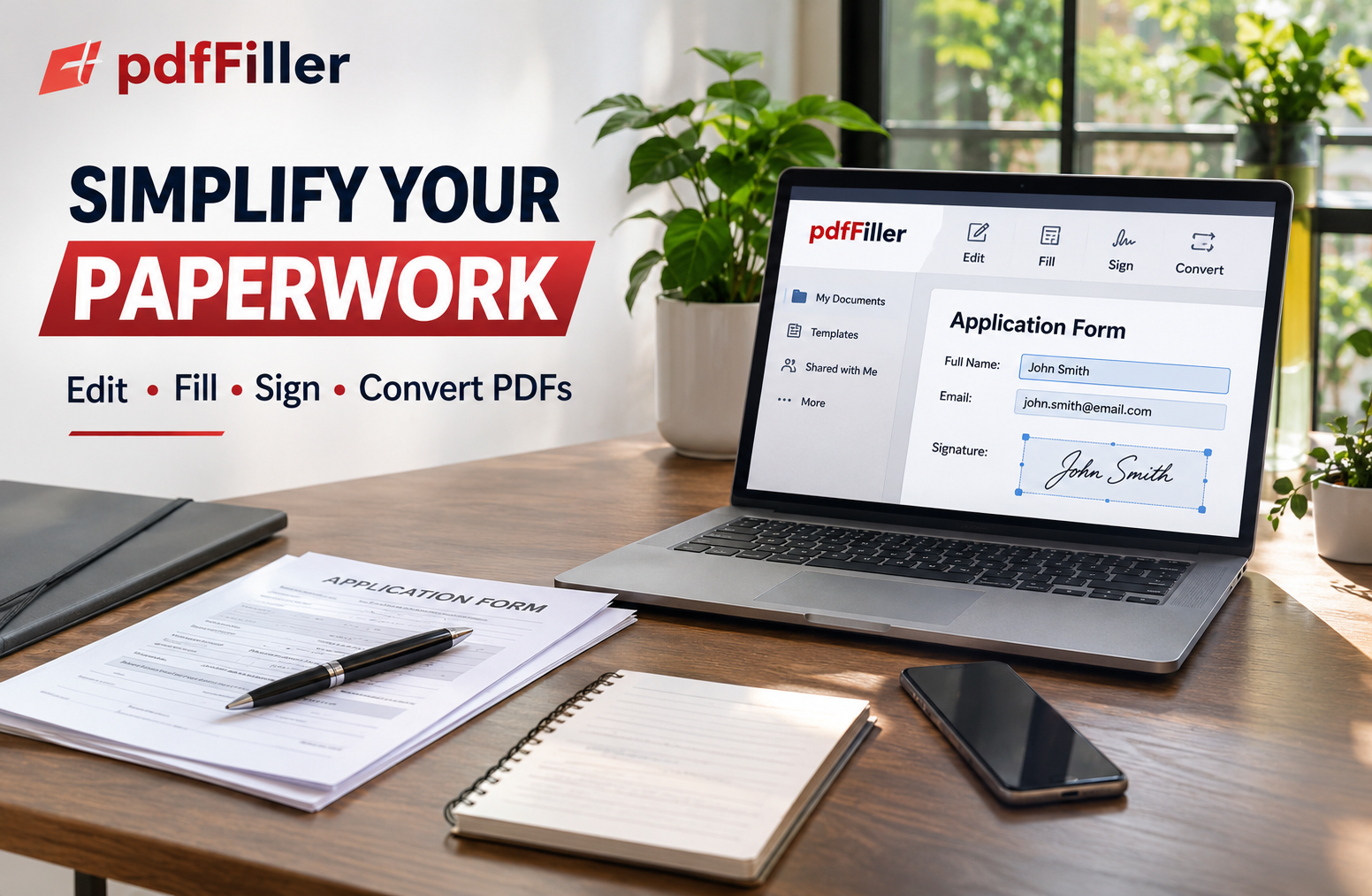
Managing documents is part of everyday life, whether you are handling work files, completing applications, signing agreements or organising personal records. Paperwork can become time-consuming when documents need repeated editing or sharing. Digital tools offer a more convenient approach. pdfFiller provides an online platform for working with PDF documents, helping users manage common document tasks without relying entirely on printed paperwork.
Understand the Convenience of Digital Documents
Digital documents make it easier to access information, update files and share paperwork without printing every page. Instead of managing multiple physical copies, users can keep important documents organised electronically. With pdfFiller, you can explore tools designed to make everyday PDF management more straightforward.
Edit PDF Files Without Starting Again
PDF files are commonly used because they preserve document formatting across devices. Editing them can sometimes be inconvenient when the original editable file is unavailable. An online editor such as pdfFiller can help users make changes to existing documents, reducing the need to recreate an entire file whenever an update is required.
Fill Out Forms Digitally
Applications, registration documents and business forms often require personal information and signatures. Completing them digitally can save time compared with printing, handwriting and scanning every page. pdfFiller offers tools for filling out PDF forms, allowing users to enter information into documents and prepare them for submission.
Add Signatures to Important Documents
Signing paperwork is a regular requirement in professional and personal situations. Digital signature tools can make the process more convenient when documents do not need a physical signature. Explore the signing features available through pdfFiller, and always check whether the recipient accepts electronic signatures and whether additional legal requirements apply.
Create Documents From Existing Files
Sometimes, useful information already exists in a document that needs updating or repurposing. Rather than rebuilding everything manually, working with an existing file can provide a practical starting point. pdfFiller provides document tools that can help users prepare and work with PDF files for different everyday requirements.
Convert Documents Into Useful Formats
Different tasks may require different file formats. A PDF might need to become an editable document, or another file may need to be prepared as a PDF for sharing. Before converting anything, consider how the formatting should appear in the final version. Explore the available conversion options on pdfFiller and review the converted file carefully.
Organise Your Paperwork More Effectively
Keeping documents organised can prevent unnecessary searching when information is needed. Create folders for work, education, finances and personal records, using clear filenames to identify each document. Digital document workflows become easier when files have a consistent structure. pdfFiller can support your PDF tasks as part of a more organised approach to paperwork.
Prepare Professional Business Documents
Businesses regularly work with proposals, agreements, invoices, reports and other documents that need to look consistent. Small formatting errors can affect readability and presentation. Using an online PDF editor such as pdfFiller can help users review and prepare documents before sharing them with colleagues, clients or business partners.
Manage Forms for Education
Students frequently deal with admission forms, registration paperwork, applications and other academic documents. Completing these files digitally can make administrative tasks easier to manage. pdfFiller offers PDF form tools that may help students enter information, review documents and prepare files for submission. Always follow the institution's specific instructions.
Make Remote Work More Convenient
Remote work often involves exchanging documents between colleagues, clients and managers. Digital workflows help reduce dependence on physical paperwork, especially when people work from different locations. Explore pdfFiller for tools that support editing, completing and preparing PDF files. Review sharing permissions before sending documents containing confidential information.
Review Documents Before Sharing
A document should be checked before it reaches its intended recipient. Look for missing information, incorrect dates, spelling mistakes and incomplete fields. Make sure the correct version is being shared, especially when several people have contributed changes. Using pdfFiller as part of your editing process can help you prepare a more complete document.
Reduce Unnecessary Printing
Printing every document can consume paper, ink and storage space. Digital paperwork offers an alternative for files that can be completed, reviewed and shared electronically. pdfFiller supports online PDF workflows that may reduce the need for printing in suitable situations. Some documents still require physical copies, so check the recipient's requirements.
Work With Documents From Different Devices
People often switch between computers, laptops and mobile devices throughout the day. Accessing documents through an online platform can make it easier to continue a task when changing devices. Check the supported device and browser options for pdfFiller to understand how its tools fit your workflow. A reliable internet connection may also be necessary.
Pay Attention to Document Security
PDF files can contain personal, financial or business information that should not be shared carelessly. Use strong account credentials, review access settings and avoid uploading sensitive documents to services without understanding their privacy practices. Before using pdfFiller, review its current security and privacy information and follow your organisation's data-handling requirements.
Understand Available Plans and Features
Online document platforms may offer different plans with varying tools, limits and subscription conditions. Before choosing a service, identify which features you actually need, such as editing, signing, form completion or document conversion. Review the latest pricing and plan information on pdfFiller, including trial conditions, renewal details and cancellation terms.
Use Templates to Save Preparation Time
Creating every document from an empty page can take unnecessary effort, particularly when similar paperwork is completed regularly. Templates provide a starting structure that users can adapt to their requirements. Explore the available document resources on pdfFiller, and review every field before using a template for an official purpose.
Make Collaboration Easier
Some documents require input from several people before they are ready. Clear file naming, organised revisions and agreed responsibilities can reduce confusion during collaboration. pdfFiller offers document-related tools that can support collaborative workflows. Check available sharing and review features, and make sure everyone works with the correct version.
Build a Consistent Document Routine
A simple routine can make paperwork less stressful. Save incoming files in suitable folders, complete forms promptly, review documents before sending and archive records when they are no longer active. Using pdfFiller for relevant PDF tasks can become part of this process, helping you approach document management more systematically.
Choose Tools According to Your Needs
Not every user requires the same document features. A student may mainly need form completion, while a professional might regularly edit agreements or prepare business files. Consider your usual tasks before selecting a platform. Explore pdfFiller and compare its available tools with your requirements rather than paying for features you rarely use.
Make Everyday Paperwork Simpler
Managing documents does not have to involve repeated printing, scanning and rebuilding files. Digital PDF tools can make common tasks more convenient when used carefully. Explore pdfFiller to learn more about its editing, form-filling and document-management features. Choose the tools that suit your workflow, protect sensitive information and review every document before sharing it.