People pay for games in very different ways around the world. In one country it is an e-wallet, in another it is cash at a corner shop. A platform that wants to serve all of them has to be flexible, and that is the idea behind UniPin.
This guide takes a region-by-region look at how UniPin works, what to check before you buy, and which mistakes to avoid, wherever you play.
What Is UniPin?
UniPin is headquartered in Jakarta, Indonesia. Its company profile says it began in 2009 as an online game voucher provider for publishers such as Garena, Moonton, and Tencent. Today it describes itself as a payment platform for games and digital products. The name is short for Universal Pin, meaning one electronic pin that works across many games.
Where UniPin Operates
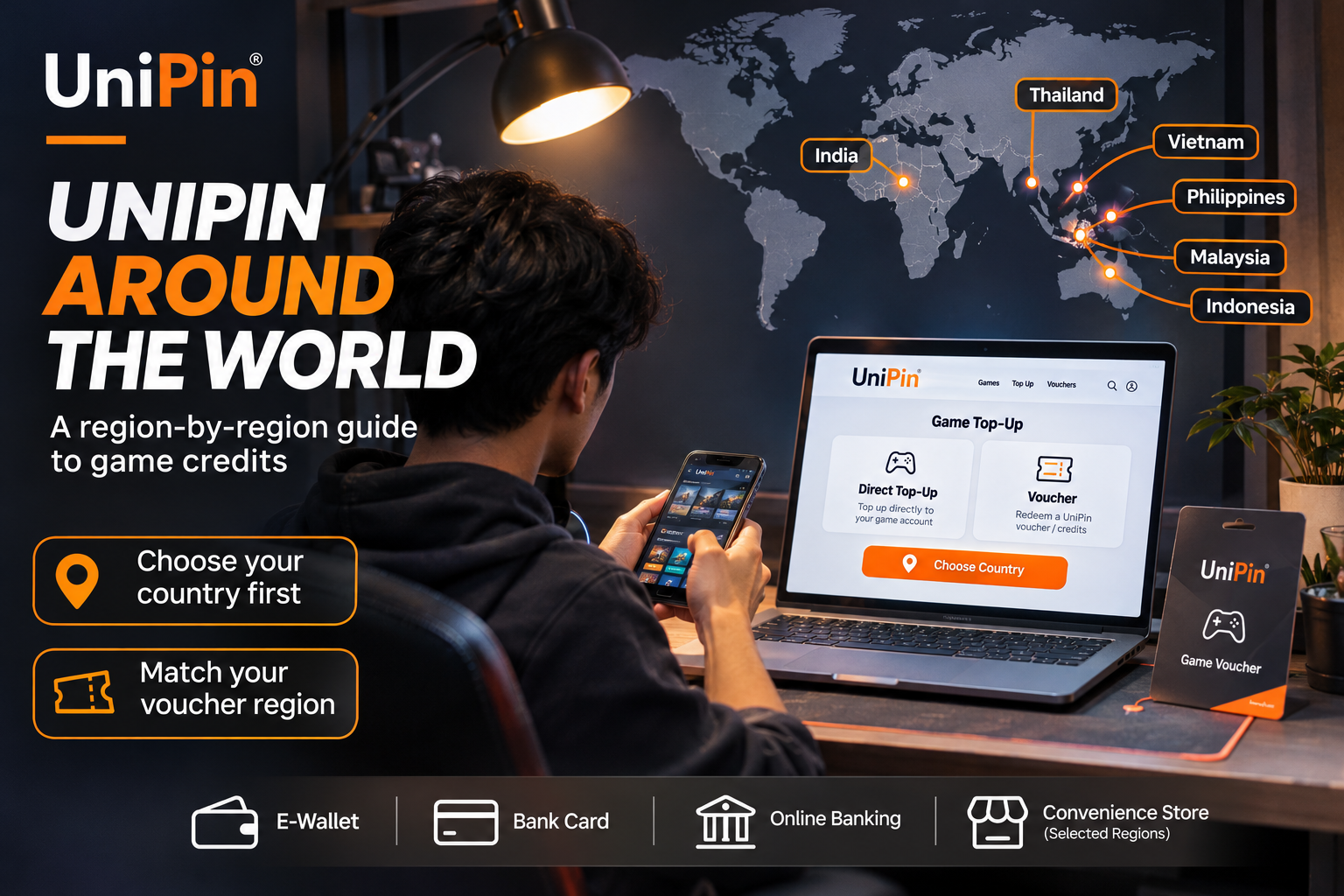
Sources describe UniPin as strongest in Southeast Asia, especially Indonesia, the Philippines, Malaysia, Thailand, and Vietnam, with some presence in the Middle East and India. The company itself claims more than 6 million active users in over 40 countries. Those are its own numbers, and coverage can differ a lot from one market to another.
Pick Your Country First
The most important step on UniPin happens before you pick a game. Choose the correct country portal. Reseller guides say you can check the country flag in the top corner of the website. If it shows the wrong region, you may see the wrong currency, the wrong payment options, or a voucher that will not work.
Vouchers Are Region-Locked
According to reseller guides, a voucher bought for one country cannot be used in another. A Malaysian ringgit voucher is meant for the Malaysian portal, and an Indonesian rupiah voucher for the Indonesian one. UniPin reportedly does not convert currencies between them. Before you buy any code, check the country and currency on the listing.
Indonesia: Where It All Began
In its home market, reports mention that UniPin works with e-wallets such as GoPay, OVO, DANA, and ShopeePay, as well as bank transfers and convenience stores such as Indomaret and Alfamart. Listings for Indonesian vouchers mention games including Mobile Legends, Free Fire, PUBG Mobile, Genshin Impact, and Point Blank.
Malaysia: E-Wallets and Corner Stores
UniPin launched in Malaysia in 2019, becoming its third country after Indonesia and the Philippines, with KK Super Mart as its official retailer. A Malaysian company listing mentions e-wallets such as Touch ‘n Go, Boost, and GrabPay, carrier billing through DiGi, U Mobile, and Hotlink, and offline purchases at KK Mart outlets. Check which of these your screen shows today.
The Philippines: Cash Still Matters
A 2026 press release says many Filipino gamers still rely on cash at small neighborhood stores, and that UniPin is expanding its services for Philippine players. The company also says it offers publisher promotions and bonus credits.
Thailand, Vietnam, and Beyond
A 2021 collaboration with Genshin Impact covered Indonesia, Malaysia, the Philippines, and Thailand, which shows how UniPin works with publishers across borders. Vietnam is also named among its stronger markets.
India: One Market Among Many
In March 2024, news reports said UniPin became an official distribution partner for Krafton’s BGMI in India. It is one example of the platform working directly with a publisher in a new market. Players there should still check the live site for the games and payment methods available today.
Three Ways to Pay
On UniPin, you will usually see these routes:
- Direct top-up: enter your game ID, pick an amount, pay
- Credits wallet: load a balance, spend it later
- Voucher: use a prepaid code to pay
Which one you get depends on your game and your country, so look at what UniPin shows you instead of assuming.
How to Redeem a Voucher
Reseller guides describe this flow for adding a voucher to your UniPin balance:
- Log in and confirm your country
- Press the Top Up button near your balance
- Choose the voucher option
- Enter the serial number and PIN in separate boxes
- Submit and check your credits
If a code fails, look for extra spaces, and make sure the voucher matches the country of your UniPin account.
Get Your Game ID Right
For a direct top-up on UniPin, your game ID decides where the item goes. Some games also ask for a server or zone ID, so enter both carefully. Copy them from inside your game if you can. A wrong ID can be hard to fix, and the purchase may not be reversible.
Promos: Read the Fine Print
UniPin has run campaigns and bonus offers in several markets, from cashback in credits for one game to bonus currency on certain voucher amounts. Offers like these are usually time-limited and may depend on the game, the payment method, or the country. Never assume an old deal is still live.
Beware of Look-Alike Names
Not every product with a similar name is the same thing. A prepaid electricity service in South Africa, for example, uses a name that looks like UniPin. Make sure the page matches the game credit service you want, and that you are on the official site or a seller you trust. Be careful with codes sold in private messages.
Never Share Your Game Password
A top-up through UniPin should only need your game ID and, for some games, a server or zone ID. If any page, chat, or person asks for your password or recovery codes, stop.
Set a Monthly Limit
Easy payments make overspending easy. Before you open UniPin, decide the most you will spend this month and stick to it. Credits in a balance can feel like play money, but they are real money. If you are under 18, speak to a parent or guardian before buying anything.
A Quick Checklist Before You Pay
Before you pay on UniPin, run through this list:
- Is the country portal correct?
- Does my voucher match this country and currency?
- Is my game ID correct, including server or zone?
- Is this the official site or a seller I trust?
- Have I read the promo conditions?
- Is this within my monthly limit?
If you can say yes to all of these, go ahead. If not, pause, because a mistake on UniPin can be hard to undo.
A Simple UniPin Formula
Not sure what to do? Use this quick formula on UniPin:
- Buying for your own country → Use that country’s portal
- Holding a voucher → Match its country first
- Pay in cash or at stores → Look for local retail options
- Play often → Credits balance
- Not sure yet → Start small
The aim with UniPin is not to spend more. It is to spend with a plan.
What to Do If Something Goes Wrong
If an order does not show up, do not rush to buy again on UniPin. Restart the game, then check your order history and email. Contact official support with your order number, game ID, and purchase time. A screenshot of the confirmation makes this far easier.
Wrapping Up
UniPin is built for players in many countries, and the best way to use it is to match your region first. Check your country portal, use vouchers meant for your currency, confirm your game ID, and keep proof of purchase. Start small, stay within budget, and enjoy your games.
Always read the official terms on UniPin before you buy, never share your game password with anyone, and remember that no top-up is worth risking your account or your budget.