Picture this. It is Saturday night, your squad is online, and the new season pass is waiting. You open the store and your balance is zero. Now you need a quick, safe way to top up, and you do not want to guess. UniPin is a name you will keep running into.
This guide explains where UniPin comes from, how its vouchers and credits work, and what to check before you spend, with a special look at India. Everything is in plain words, with the fine print included.
The Story Behind UniPin
UniPin started in Indonesia in 2009 as an online game voucher provider. Its early partners included game publishers such as Garena, Moonton, and Tencent, according to the company’s own profile. Over time it added other digital products, such as music and streaming subscriptions. The head office is in Jakarta.
Universal Pin: One Pin, Many Games
The name is short for Universal Pin. The idea behind UniPin is that one electronic pin, or credit balance, can be used across many games from many publishers. The company sums this up with the motto “One for All, All for One.” For a player, that can mean fewer separate payments to manage.
Big Claims, Read With Care
UniPin says it has more than 6 million active users in over 40 countries, and that it won a payment gateway award in Indonesia in 2016. These are the company’s own claims, so treat them as claims, not proof. They show scale, not availability in your country.
Three Ways to Pay for a Game
On UniPin, you will usually see these routes:
- Direct top-up: enter your game ID, pick an amount, pay
- Credits wallet: load a balance, spend it later
- Voucher: use a prepaid code to pay
Which route fits you depends on how often you play and spend, and which of these UniPin offers for your game and region.
What Is Inside a Voucher?
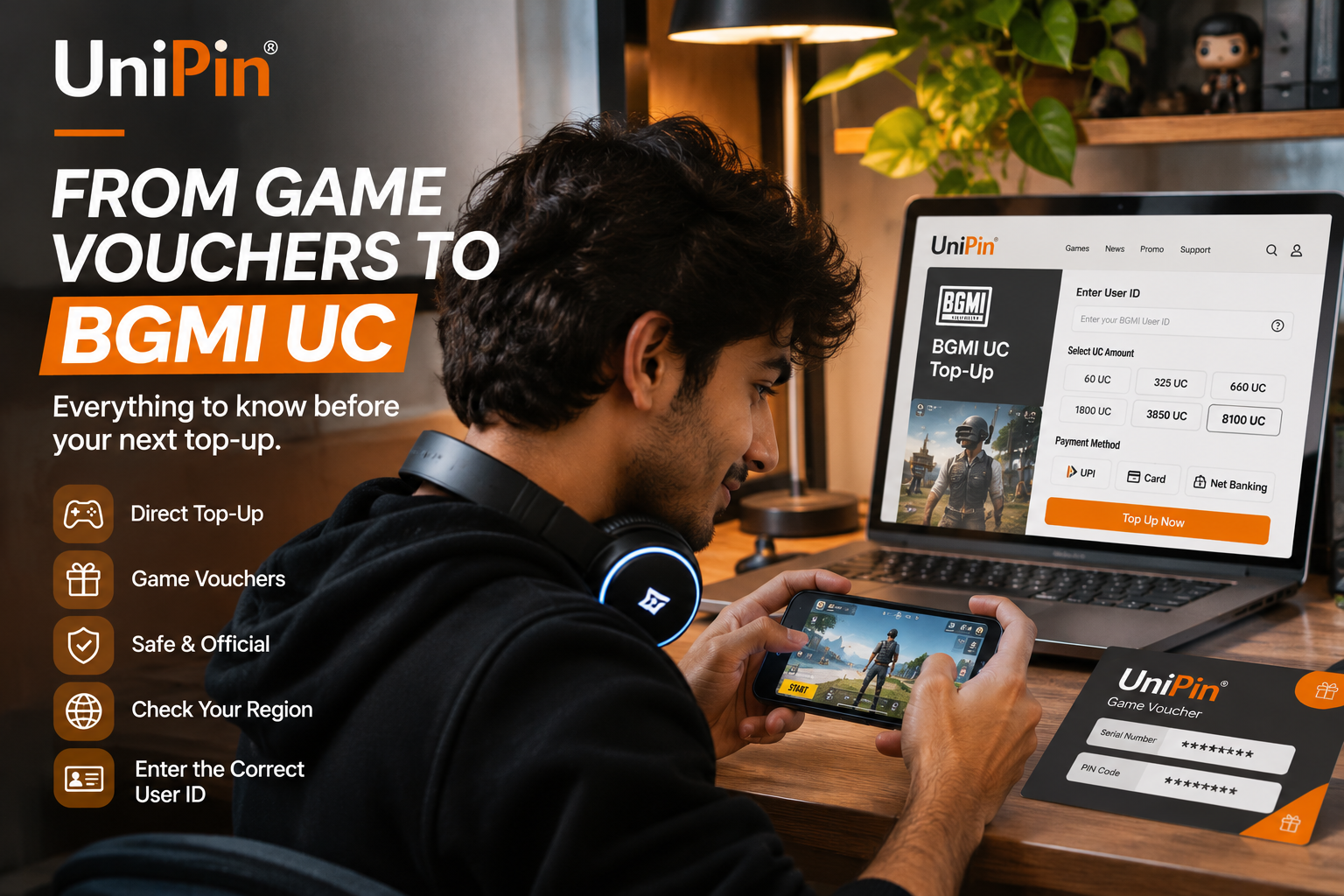
A voucher from UniPin carries a serial number and a PIN. Together they let you load credits into your account, or pay for a game top-up directly. Codes are sold both as physical cards and as digital codes in some markets. Treat the PIN like cash, because anyone who has it can use it.
How to Redeem a Voucher, Step by Step
Reseller guides describe this flow for adding a code to your UniPin balance:
- Log in on the official site
- Tap the Top Up button near your balance
- Choose the voucher option
- Enter the serial number and PIN in their own boxes
- Submit and check your credits
If a code fails, check for extra spaces and make sure you did not mix up the two numbers. Screens on UniPin may look different by region.
Region Matters More Than You Think
Vouchers are often tied to a region and a currency. A code bought for the Indonesian store of UniPin, for example, cannot be redeemed on portals set to other regions. Before you buy any code, check that its country and currency match the portal you will use. This one check can save you a lot of trouble.
UniPin in India: The BGMI Link
In India, UniPin became an official distribution partner for Krafton’s BGMI in March 2024, according to news reports. A 2026 guide also says BGMI’s official website links to this option. That gives players a route to buy UC outside the in-game store. Always confirm the link from the game’s own site.
How a BGMI Top-Up Works
According to guides, a BGMI purchase on UniPin is simple: enter your User ID, choose a UC amount, pick a payment method, and pay. Your User ID is case-sensitive, so copy it carefully. Sending UC to the wrong account may not be reversible, so check the ID on the final screen before you confirm.
Gift Cards and Vouchers in India
In India, UniPin vouchers are also sold as e-gift cards through some retailers and gifting platforms. Reports describe redeeming them by choosing the voucher option as your payment channel on the top-up page. Some of these cards must be used in one go, and refunds are usually not allowed. Check the terms before you pay.
Check the Validity Date
Some vouchers have a limited life. One Indian retailer listing for a UniPin e-gift card said it was valid for one year from purchase. Other cards may differ, so read the validity line on the card or listing.
Bonuses and Promos: Fun, but Read the Rules
UniPin has run promotions in India before, including a BGMI campaign called Bonus ka Naya Bahana, and retailers have listed bonus UC on certain voucher amounts. Offers like these are usually time-limited. Do not assume an old deal is still live, and always read the dates, eligible amounts, and payment channels.
Beware of Look-Alike Names
Not every product with a similar name is the same thing. For example, a prepaid electricity service in South Africa also uses a name that looks like UniPin. Make sure the product page matches the game credit service you want, and that you are on the official site or a seller you trust. Be careful with codes sold in private messages.
Never Share Your Game Password
A top-up through UniPin should only need your game ID, and for some games a zone or server ID. If any page, chat, or person asks for your password, stop. BGMI’s help centre also warns about unauthorised top-up services, and purchases from them can break the game’s rules.
Set a Monthly Limit
Easy payments make overspending easy. Before you open UniPin, decide the most you will spend this month, and stick to it. Credits in a balance can feel like play money, but they are real money. If you are under 18, speak to a parent or guardian before buying anything.
A Quick Checklist Before You Pay
Before you pay on UniPin, run through this list:
- Am I on the official site or a seller I trust?
- Is my game ID correct, including capital letters?
- Does the voucher match my country and currency?
- Have I checked the validity date?
- Have I read the promo conditions?
- Is this within my monthly limit?
If you can say yes to all of these, go ahead. If not, pause, because a mistake on UniPin can be hard to undo.
A Simple UniPin Formula
Not sure what to do? Use this quick formula on UniPin:
- Playing BGMI in India → Direct top-up with User ID
- Spend often → Credits balance
- Planning ahead → Voucher, check validity
- Got a code from a shop → Check region first
- Not sure yet → Start small
The goal with UniPin is not to spend more. It is to spend with a plan.
What to Do If Something Goes Wrong
If an order does not show up, do not rush to buy again on UniPin. Restart the game, then check your order history and email. Contact official support with your order number, game ID, and purchase time. A screenshot of the confirmation makes this far easier.
Wrapping Up
UniPin has grown from a voucher seller in Jakarta into a platform that many gamers now use for top-ups, including BGMI players in India. Use it carefully: match your region, check your IDs, watch validity dates, and keep proof of purchase. Start small, stay within budget, and enjoy your games.
Always read the official terms on UniPin before you buy, check each voucher’s validity date, and remember that no top-up is worth risking your account or your budget.