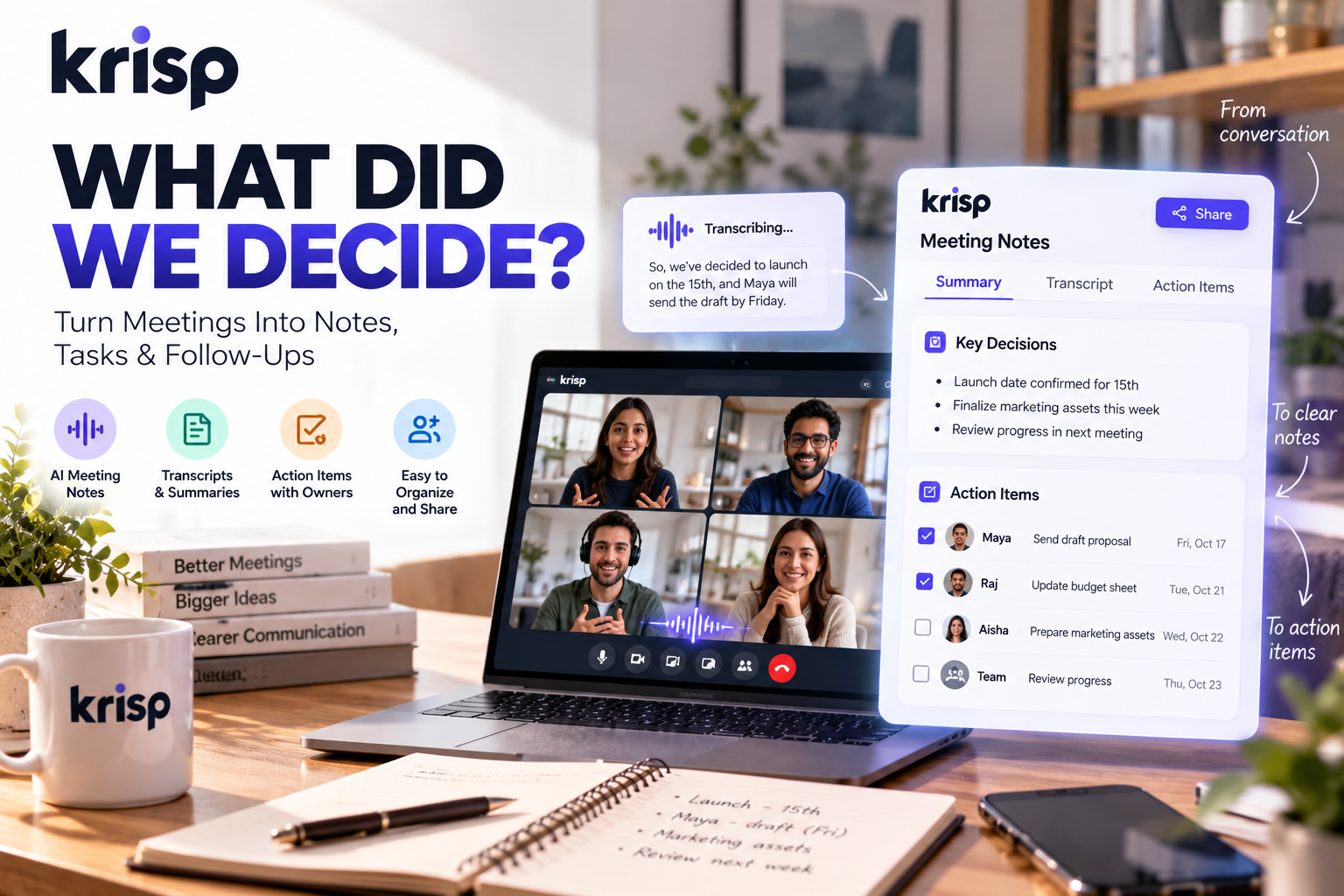
Every team has the same awkward moment. A week after the meeting, someone asks, “Wait, what did we decide?” Three people remember three different answers, and the one person who took notes is on leave. Meetings are meant to move work forward, yet much of what is said disappears before it becomes action. This guide is about fixing that, in plain words. We will look at how AI meeting notes work, how to use them responsibly and how to build a simple routine, using Krisp as the main example of a tool that offers this. No jargon, just habits that save time and prevent confusion.
Why meetings fail after they end
The problem is rarely the conversation itself. It is the gap between talking and doing. Decisions are made out loud, but nobody writes them down clearly. Tasks are mentioned, but no one owns them. People leave with different memories, and the details blur within a day. Manual note taking helps, but it also pulls your attention away from the discussion. That is the space where an AI meeting assistant tries to help, by capturing the conversation so you can focus on the people. Whether you use Krisp or another tool, the real fix is a clear habit around what happens after the call.
What is Krisp’s meeting assistant, in plain words?
Krisp is best known for noise cancellation, but review sites say it has grown into a broader meeting assistant, with transcripts, summaries and action items. The idea is simple: it listens to your meeting, turns speech into text and produces notes you can read afterward. Treat this as Unit 1 of your learning: understand the tool’s purpose before you build your routine around it. Features, plans and limits change, and reviewers do not always agree on details. Read the current feature list on Krisp, and test it in a low stakes meeting before you rely on it for something important.
What bot-free capture means
Many AI note takers join your call as a visible participant, which can feel awkward, especially in client meetings. Reviews describe Krisp as bot-free, meaning it captures audio from your device instead of sending a separate bot into the call. That can make meetings feel more natural. But bot-free does not mean secret. Other people still deserve to know that the conversation is being recorded or transcribed, and in many places you must get their permission. Say it out loud at the start. Check how Krisp explains its approach and your local rules before you use it with clients, candidates or anyone who might object.
Before the meeting: purpose and agenda
Great notes start before anyone speaks. Write one sentence that explains why the meeting exists, such as “decide the launch date” or “review last month’s results.” Share a short agenda with times. Invite only the people who are needed. If you plan to use transcription, mention it in the invitation, so nobody is surprised. A clear purpose also makes the notes better, because the conversation stays focused and the summary has something to measure against. Spend five minutes on this preparation. When your plan is clear, a tool like Krisp has cleaner material to work with.
During the meeting: say decisions out loud
AI tools capture what is said, so help them by being clear. When a decision is made, say it plainly: “We have decided to launch on the fifteenth.” When a task is assigned, name the person and the deadline: “Maya will send the draft by Friday.” Treat this as Unit 1 of your meeting habits: if it is not said, it will not appear in the notes. Avoid talking over each other, and try to spell unusual names or numbers when they first appear. These small habits make transcripts easier to read and summaries more accurate, whichever tool you use, including Krisp.
After the meeting: review within ten minutes
The most valuable moment for notes is right after the call. Open the transcript or summary while the conversation is fresh and scan it for errors. Check names, numbers, dates and decisions, because speech recognition can mishear. Fix anything that is wrong, and remove anything that should not be shared. Add any important context that was not spoken, such as a link or a reason. Then send the cleaned version to the right people. This takes ten minutes, but it prevents days of confusion. Think of Krisp as a first draft maker, and yourself as the editor who makes the final version trustworthy.
Action items that get done
A task without an owner and a date is just a wish. When you review your notes, rewrite every action item in the same shape: who, what and by when. For example, “Raj will update the budget sheet by Tuesday.” Keep the list short, and put the most important item first. If a task is unclear, ask for clarification instead of guessing. Some tools automatically suggest action items, and reviewers say Krisp does too, but treat those suggestions as proposals, not facts. Confirm them with the people involved. A short, clear list from Krisp that everyone agrees to is worth more than a long transcript no one reads.
Summaries versus transcripts
A transcript is the full text of what was said. A summary is a shorter version with the main points. They serve different purposes. Use the summary for quick updates and for people who missed the meeting. Use the transcript when you need exact wording, such as a client request, a number or a decision that might be questioned later. Do not send a raw transcript to everyone, because it is long and may include private or irrelevant comments. Decide in advance what each person needs. When you open a record in Krisp, check whether you want the summary, the transcript or both.
Sharing notes without oversharing
Not everyone needs everything. Before you send notes, think about who should see them and what might be sensitive. A client may need the agreed actions but not your internal discussion. A teammate may need the details of a task but not the comments about a colleague. Remove personal information when it is not needed. Use shared folders with the right permissions instead of forwarding files to many people. Treat this as Unit 1 of your sharing rules: share the minimum that is useful. Review how sharing and storage work in Krisp, and ask your company if there are rules about meeting data.
Connecting notes to your other tools
Notes are more useful when they flow into the places where work happens. Some reviewers say Krisp can send notes or summaries to tools such as Slack, Notion and customer management systems, though the exact integrations and plans differ. Even without automation, you can copy a clean summary into your project tracker, calendar or email thread. The goal is to avoid having valuable decisions trapped in one app. Create a simple rule, such as “action items go into the task board within one day.” Check which integrations are available on Krisp for your plan before you design your workflow around them.
Sales and client calls
If you work in marketing, sales or freelance services, calls are full of useful detail: client goals, objections, deadlines and budgets. A transcript can help you remember exactly what was said. After the call, write a short follow-up email with the main points and next steps, and send it the same day. Quote the client’s own words where helpful, but double check them against the transcript. Always get permission to record, and tell clients how you will store the notes. A good follow-up builds trust. Used carefully, Krisp can help you capture the details so your message feels precise and thoughtful.
Accuracy, accents and languages
Speech recognition is impressive but imperfect. It can struggle with strong background noise, overlapping voices, technical terms, names and accents. Reviewers also note that transcription support differs by language, so check your language before you commit. Do not assume a transcript is a perfect record. For important facts, such as numbers, legal terms or promises, verify them against the audio or ask the speaker. Be fair to people with different accents and speaking styles, and never treat a transcript error as their fault. Test Krisp with a short recording of your own voice and your usual vocabulary to see how it performs.
A weekly review habit
Notes are only useful if you look at them. Once a week, spend fifteen minutes reviewing your meetings. Check which action items are done, which are late and which need a conversation. Move open items into next week’s plan. Delete notes you no longer need, especially sensitive ones. Small, regular reviews beat rare, heroic cleanups. Ask yourself which meetings were useful and which could have been an email. This habit turns a pile of recordings into a system that supports your work. If you find that you never open the notes from Krisp, that is a signal to simplify your process or reconsider the tool.
Compare it with other options
Many video meeting apps now offer built in transcription and summaries, and several separate AI note taking tools exist. Some join your call as a visible bot, some work offline and some focus on specific industries. Treat this as Unit 1 of your comparison: test two or three options on similar meetings and look at accuracy, privacy, price and ease of use. Ask your company whether it already provides a tool. Consider how each option handles consent, storage and sharing. Put Krisp next to the alternatives, and choose the one that supports your habits, not the one with the longest feature list.
Mistakes to avoid
A few errors repeat. Recording without telling anyone. Trusting the transcript without checking. Sending raw notes to the wrong people. Leaving action items without owners or dates. Collecting recordings and never reviewing them. Ignoring storage and privacy settings. Skipping a test before an important meeting. Whichever tool you choose, including Krisp, careful habits matter more than clever features, and an honest, checked note beats a long automatic one.
Questions to ask before you start
What will I use meeting notes for? Does everyone in the meeting agree to recording? What does the tool capture, where is it stored and who can see it? How accurate is it in my language and field? How will I turn notes into tasks? What does the plan cost, and how is it billed? Have I compared at least one alternative? Write the answers down. If anything is unclear, ask support before you begin. A careful look at Krisp now will save confusion later.
A word of honesty
This post is general information, not legal, privacy or professional advice. Details about features, integrations, pricing and storage come from the company’s public pages and review sites, and they change often, so verify everything on the official site before you pay. Reviews are mixed, and AI notes can contain mistakes. Recording and consent laws differ by place and by situation, so learn the rules that apply to you. And if you decide that Krisp is not the right fit for your meetings, that is a sensible outcome of careful testing.
Final thoughts
Good meetings leave a trail: clear decisions, named owners and dates everyone can see. AI tools can help you capture that trail, but the discipline still belongs to you. Prepare a purpose, say decisions out loud, review the notes quickly and share only what is needed. Ask permission, check the facts and keep your process simple. If you want to try an assistant, open Krisp, test it on a real meeting and see whether it saves you time. Start with one meeting this week, test the process and improve it before you expand to everything else. The best answer to “what did we decide?” is a clear note that was written the same day.